This series of introductory articles on Apple Metal introduces a set of tools for convenient Metal development. You'll gain an understanding of the necessary tools, from basic diagnostics to deep profiling and GPU debugging. This will improve not only your code performance but your development performance as well. As with the previous series, it focuses on principles and understanding.

This series of introductory articles on Apple Metal takes you from the very basics to modern APIs like MPS. Instead of focusing only on code snippets, the articles emphasize core principles, helping you build a strong conceptual understanding of how Metal works. They are designed for beginners, offering an accessible path to explore graphics and compute programming on Apple platforms, and providing a solid foundation for more advanced projects.

This article introduces cellular automata, explaining them as simple mathematical models consisting of cells that change states based on their neighbors’ states. Through examples like Conway’s “Game of Life” and more complex models like Larger than Life and Lenia, it highlights the surprising complexity and real-world applications of cellular automata in various fields.

In this article, we'll create a locally hosted tool for App Store optimization. This project incorporates PostgreSQL for the database, Grafana for visualization, a few Python scripts for scraping App Store search data and managing tasks, and Docker Compose to integrate all these components seamlessly. Additionally, we'll integrate Amplitude for enhanced data and deeper insights.

This article introduces a method for automatic color enhancement in images using histogram analysis. It covers histogram normalization, custom gamma correction, and application in various color spaces like HSV. The approach is simple, fast, and suitable for low-resource devices.

This tutorial provides a step-by-step guide on creating an animated background featuring flickering blocks in a techno-style. It builds upon the foundation established in a previous tutorial, utilizing the existing infrastructure. Our central focus in this tutorial will be the use of shaders to breathe life into this dynamic animated backdrop.

This tutorial demonstrates the process of implementing a parallaxing animated Perlin noise-based background. It builds upon the groundwork laid by a previous tutorial, making use of its established infrastructure. Our main emphasis in this tutorial will be on utilizing shaders to infuse vitality into this animated backdrop.

This tutorial offers a step-by-step approach to utilizing WebGL for developing interactive web page backgrounds, detailing processes in HTML and CSS for canvas setup, OpenGL Shader programming for graphics rendering, and JavaScript for dynamic interactivity.

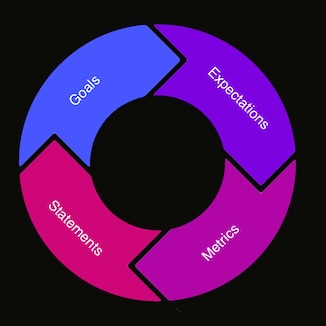
The G.E.M.S. framework is a systematic, four-step process designed to harmonize data analysis with business goals, encompassing goal definition, question formulation, event selection, and visualization for tracking progress toward objectives. Its iterative nature ensures that data collection and analysis are purpose-driven, facilitating the achievement of specific business targets.

This tutorial is aimed at the student level, and you can find expanded information on Apple's website and in the related documentation they provide.

It will run you through the creation of a simple ML app that should be sufficient for basic tasks using common data sets.

The image blending is a mix between two images with a special equation. Here are represented short code implementations of blending premultiplied RGBA float images with values in the range [0; 1].